September 22, 2026
6 mins
Read more



September 22, 2026
September 22, 2026
Coordinating events, gaming sessions, or meetings on Discord gets complicated when everyone is in a different time zone. Discord timestamps make it easier by converting one time into each user’s local time automatically.
You can use Epic's Discord timestamp generator to simplify the process. This guide explains how Discord timestamps work, how to create them, and common mistakes to avoid.
A Discord timestamp is a dynamic time display that automatically adjusts to each reader's local time zone. Rather than displaying a fixed time based on the sender's location, a timestamp code represents a specific point in time, which Discord then converts for each user.
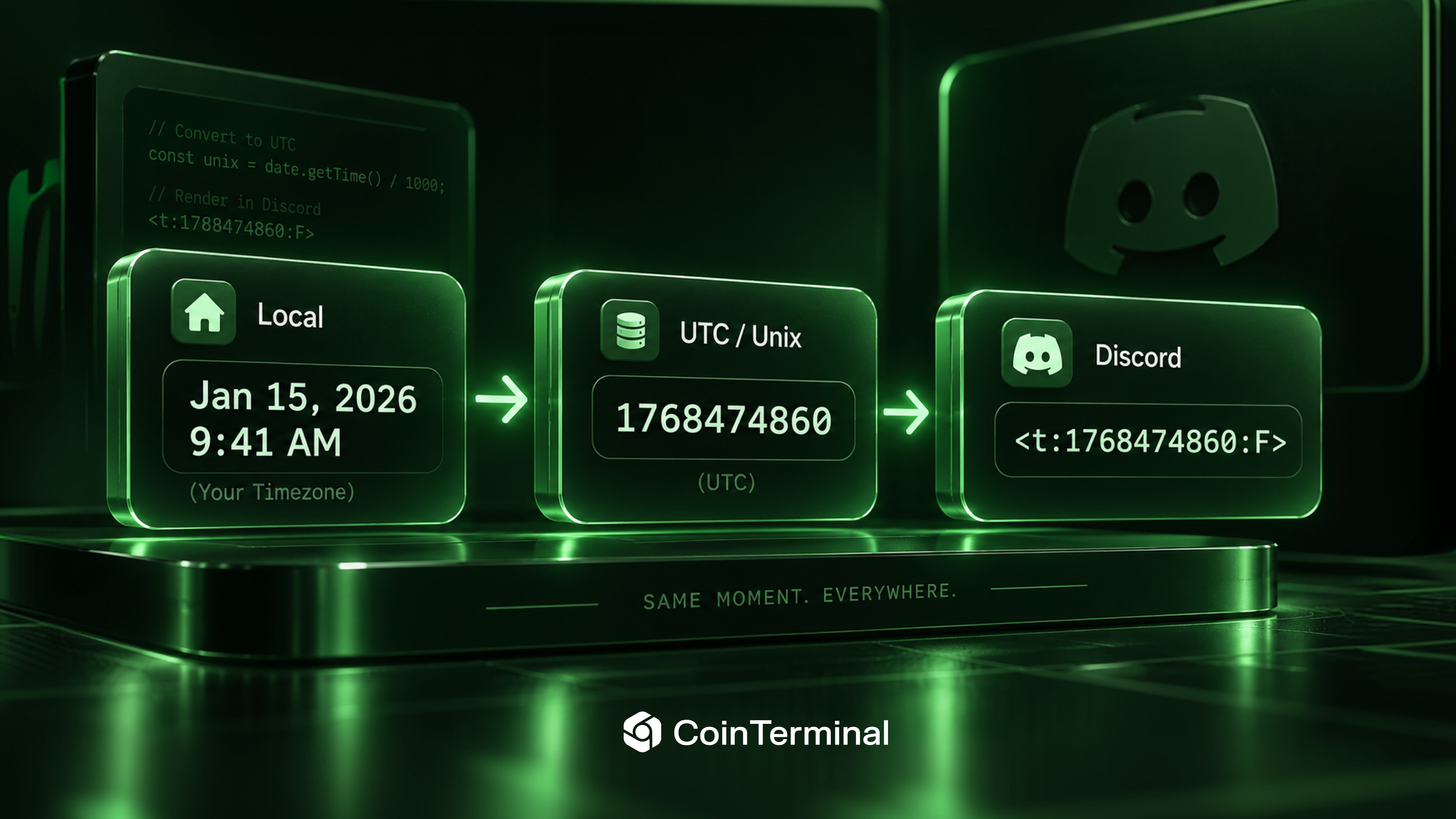
As a result, users in different time zones can see the same event at the correct local time without performing manual conversions. The system relies on Unix timestamps, which represent a precise point in time as the number of seconds elapsed since 1 January 1970.
Because this value is independent of time zones, Discord can use it to determine and display the corresponding local time for each user. The rendered timestamp is also interactive, with the full date and time appearing when a user hovers over it.
Time zone confusion affects almost every active community. Gaming clans coordinate raids across continents, trading and NFT groups run events at fixed hours, and study servers and distributed teams schedule around members in different regions.
In each case, a plain time reference such as "9 p.m." is ambiguous to most readers. The common workarounds are unreliable. Listing multiple time zones is error-prone and quickly becomes inaccurate when clocks change. Linking to a world clock adds friction and moves people away from the conversation.
A pinned note stating that all times are in UTC assumes every member will perform the conversion, which many will not. Discord timestamps address this by shifting the conversion from the reader to the platform, where it is handled accurately and instantly.
Every timestamp uses the same three-part structure, wrapped in angle brackets with a leading T and separated by colons: <t:UNIX_TIMESTAMP:STYLE>
The first element is always the letter t. The second is the Unix timestamp that fixes the exact moment. The third is an optional style letter that determines how the time is displayed; omitting it applies Discord's default. Discord documents this format in its official message formatting reference, and the underlying value is explained in this overview of Unix time.
Two points are worth noting. The code renders as a formatted timestamp only once the message is sent, so it appears as plain text in the composer until then. The value must also be a Unix timestamp in seconds rather than milliseconds; using milliseconds is a common error that places the event far into the future.
Discord supports seven styles. The table below shows each one using the standard example moment of 20 April 2021 at 16:20.
Each format suits a different purpose. The R style updates in real time as members read it, which makes it suitable for countdowns such as "starts in 45 minutes." The F style includes the weekday and full date, so it is the clearest option for formal event announcements. The default f style provides a concise date and time in a single line and works well for most general use.
There are two main ways to create a Discord timestamp: manually or with a generator. The manual method requires you to find the correct Unix timestamp for your chosen date and time, build the timestamp code, and add the appropriate format letter.
While it works, the process can be tedious and leaves more room for mistakes. Epic’s Discord timestamp generator simplifies the process by handling these steps for you. Enter the date and time you want to share, and the generator converts it into the correct Unix timestamp automatically.
You can then view the available timestamp formats and choose the one that best suits your message. The Discord Timestamp Generator lets you generate all seven Discord timestamp formats from a single interface. Select your date and time, preview how each format will appear, and copy the generated code directly into Discord.
The tool also handles time zone conversion automatically, so you do not need to calculate the Unix value or remember the format codes. It runs in your browser and requires no account or payment.
A single Discord timestamp can support a wide range of scheduling and coordination needs. For event announcements such as community calls, AMAs, and launches, an F-style timestamp displays the exact date and time, while an R-style timestamp provides a live countdown.
For raids, gaming sessions, and match times, a relative timestamp allows members in different time zones to count down to the same moment. For giveaways and deadlines, a countdown that updates automatically helps users see how much time remains and when the event has ended.
Discord timestamps are particularly useful in crypto and NFT communities, where joining a mint or token sale at the correct time can be important. A shared timestamp ensures that all members are working from the same reference point.
The same principle applies to meetings, study sessions, and other scheduled activities, reducing the need for users to manually convert times across different regions.
A few common mistakes can prevent a Discord timestamp from displaying as intended. The most important is using milliseconds instead of seconds. Discord requires a Unix timestamp in seconds, so an incorrect value can place the displayed date far in the future.
It is also important to remember that timestamp codes appear as plain text while you are composing a message. The formatted result only appears after the message is sent, so use the preview or a test message to confirm the output.
The format letter is optional, as omitting it produces Discord's default f-style display. However, specific formats such as countdowns or date-only displays require the appropriate style letter. It is also best to avoid adding a fixed time zone next to a dynamic timestamp.
Doing so can create conflicting information and undermine the purpose of using a localized timestamp. Once created correctly, a Discord timestamp handles the time zone conversion automatically for every reader. This provides a consistent reference point for announcements, events, deadlines, and other scheduled activities.
To create a timestamp, use Epic's Discord Timestamp Generator. Select the date and time, review the seven available formats, and copy the generated code into your Discord message.
This article is for educational purposes only. It is a general guide for founders and users navigating the Web3 space. It does not constitute financial advice. Always do your own research before making any investment decisions.If you want to learn more about raising funds or which IDOs to look into, our team is here to help. Feel free to reach out to us on Telegram at any time.